
The product

The customer asks on your website.
You see it all in the dashboard.

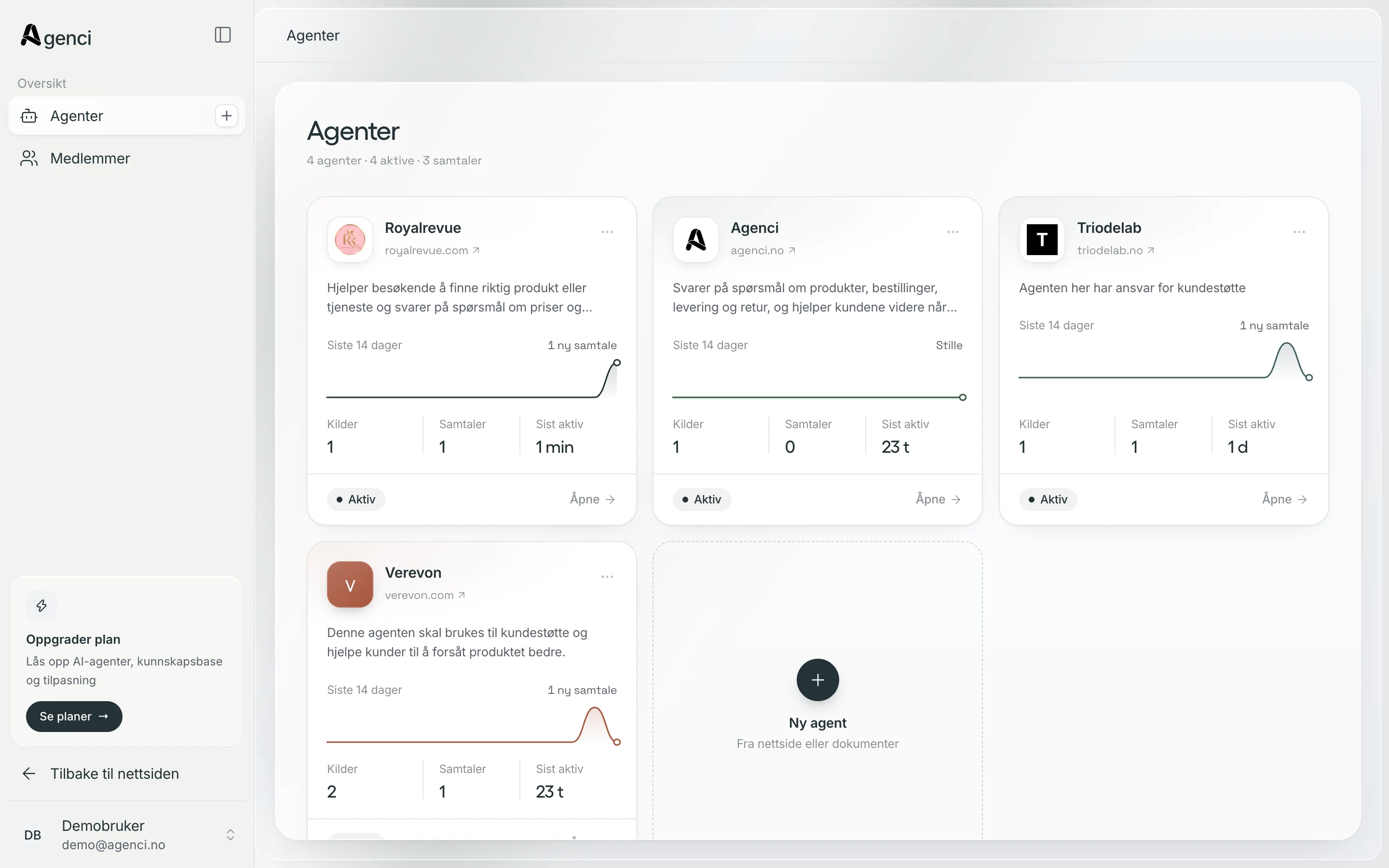
Agenci answers from what you've given it, and you keep an eye on everything from one place. Here's how it fits together.

The Agenci dashboard with the company's agents
From question to answer

The customer in the chat.
You in the dashboard.

What the customer sees in the chat, you see in the dashboard. The same conversation, with the same knowledge behind it.

  1. 01

    The customer asks.

    The chat sits on your website and answers around the clock, weekends included.

  2. 02

    Agenci answers.

    Based on what you've written yourselves, and it says so when a human is needed.

  3. 03

    You keep track.

    Conversations, knowledge and settings in one place in the dashboard.

The dashboard

The dashboard,
part by part.

01 · Overview

See how it's going.
At a glance.

How many people get in touch, how many the agent solves on its own, and what time of day customers drop by. You quickly see what's going well, and what needs you.

  • Share solved without a human
  • Conversations over time
  • When customers actually ask
02 · Conversations

Every conversation.
With the full history.

Read along while the agent replies, see who the customer is and where they came from, and jump in yourself when needed.

  • Inbox with a status for each conversation
  • Contact details and context
  • Resolve, escalate or reopen
03 · Knowledge

Everything the agent knows.
Visible and under control.

Web pages, PDFs and documents become what the agent answers from. You see exactly what it has learned, can ask it directly, and add more whenever you like.

  • Your knowledge as a living map
  • Source library with status
  • Web pages and documents
04 · Customization

Your rules.
Your way of answering.

Decide how the agent should talk, what it shouldn't answer, and when it should pass the case on to you. The chat's colors and texts are changed in the same place.

  • AI model and personality
  • Rules and topics to avoid
  • Colors and text in the chat
05 · Widget

The chat in your colors.
Try it before you save.

Pick colors from your website or a ready-made palette, and watch the chat change instantly. Type a question in the preview, and you'll see exactly what answer your customers get.

  • Colors taken from your website
  • Test the agent before it goes live
  • Preview on mobile and desktop
Get started

Up and running
in one afternoon.

You don't need a developer. Agenci learns from what's already on your website, and you fine-tune it when you have time.

  1. 01

    Create an agent.

    Give it a name and write a few words about what it should help customers with.

  2. 02

    Point it at your website.

    Agenci reads the content and picks up your logo and colors by itself.

  3. 03

    Paste in one line of code.

    The chat shows up on your website, and the conversations in the dashboard.

Ready for the first conversation?

Start for free, or find the right setup together with us.

Book a demo